Best Drag-and-Drop Website Builders for Non-Tech Users
Building a professional website no longer requires coding knowledge or a background in design. Modern drag-and-drop website builders have transformed the process into something intuitive, visual, and accessible to virtually anyone. For entrepreneurs, freelancers, small business owners, and creatives, these platforms offer a practical way to establish a strong online presence without hiring a developer.
TLDR: Drag-and-drop website builders make it easy for non-technical users to create professional websites without coding. Platforms like Wix, Squarespace, Weebly, Shopify, and WordPress.com offer intuitive editors, customizable templates, and built-in hosting. The best choice depends on your goals—whether you need an online store, portfolio, blog, or small business site. Ease of use, pricing, flexibility, and support should guide your decision.
Below is a comprehensive look at the best drag-and-drop website builders for non-tech users, including their strengths, limitations, and ideal use cases.
What Makes a Drag-and-Drop Builder Ideal for Non-Tech Users?
Before comparing platforms, it’s important to understand what features truly matter for beginners. A builder may advertise simplicity, but not all interfaces are equally intuitive.
- Visual Editor: True drag-and-drop functionality with real-time previews.
- Professional Templates: Ready-made designs for different industries.
- All-in-One Hosting: No need to arrange separate hosting services.
- Customer Support: Live chat, tutorials, and help centers.
- Scalability: Ability to grow from a simple site to ecommerce or blogs.
With these criteria in mind, let’s examine the leading options.
1. Wix
Wix is one of the most popular website builders globally, and for good reason. Its drag-and-drop editor is genuinely beginner-friendly and offers exceptional creative control.
Key Strengths
- Highly flexible drag-and-drop functionality
- Over 800 professionally designed templates
- App Market for extended features
- Built-in SEO and marketing tools
Best for: Small businesses, personal brands, portfolios, and service providers.
Wix allows users to place elements virtually anywhere on the page. While this flexibility is empowering, it can sometimes lead to cluttered designs if users lack layout discipline. Fortunately, templates provide a structured starting point.
2. Squarespace
Squarespace is known for its polished templates and refined design aesthetic. It is particularly popular among creatives, photographers, and boutique brands.
Key Strengths
- Visually striking, mobile-responsive templates
- Intuitive section-based editor
- Strong blogging functionality
- Integrated ecommerce tools
Best for: Creatives, restaurants, photographers, and bloggers.
Squarespace uses a structured drag-and-drop system. While it offers slightly less free-form flexibility than Wix, this constraint helps maintain professional design standards. Non-tech users often find it easier to achieve a refined look quickly.
3. Weebly
Weebly has built a reputation around simplicity and ease of use. It is one of the most straightforward builders available, making it ideal for those who want minimal complexity.
Key Strengths
- Clean and simple interface
- Fast setup process
- Affordable pricing tiers
- Solid ecommerce capabilities
Best for: Small local businesses and personal projects.
While Weebly may not offer the same design freedom as competitors, it excels in usability. For non-tech users who value speed and simplicity over extensive customization, it remains a dependable option.
4. Shopify
Shopify is primarily an ecommerce platform, but its drag-and-drop store builder makes it accessible to beginners launching online shops.

Key Strengths
- Powerful ecommerce infrastructure
- Inventory and order management tools
- Secure payment integrations
- Large app ecosystem
Best for: Entrepreneurs focused on selling physical or digital products.
Although Shopify is user-friendly, it is more specialized than general website builders. If ecommerce is your primary goal, it’s arguably the most robust solution for non-tech users.
5. WordPress.com
WordPress.com (distinct from self-hosted WordPress.org) offers a block-based editor that allows users to build sites visually.
Key Strengths
- Strong blogging features
- Scalable plans
- Block-based content editor
- Wide theme selection
Best for: Bloggers, online publications, and content-driven websites.
While WordPress.com has a slightly steeper learning curve than Wix or Weebly, it rewards users with flexibility and long-term growth potential.
Comparison Chart
| Platform | Ease of Use | Design Flexibility | Ecommerce Strength | Best For |
|---|---|---|---|---|
| Wix | Very Easy | High | Moderate | Small businesses, portfolios |
| Squarespace | Easy | Moderate to High | Strong | Creatives, bloggers |
| Weebly | Very Easy | Moderate | Moderate | Personal sites, small shops |
| Shopify | Easy | Moderate | Excellent | Online stores |
| WordPress.com | Moderate | High | Moderate | Blogs, content sites |
How to Choose the Right Builder
Selecting the right platform depends on clearly defining your objective. Ask yourself:
- Is my primary goal to sell products?
- Do I need advanced blogging tools?
- How important is design customization?
- What is my monthly budget?
Non-tech users often make the mistake of over-prioritizing features they may never use. Complexity can become an obstacle rather than an advantage.
Common Mistakes to Avoid
Even with user-friendly tools, certain pitfalls are common:
- Overcrowding pages with too many elements.
- Ignoring mobile optimization despite most traffic being mobile.
- Neglecting SEO basics such as page titles and descriptions.
- Choosing based solely on price instead of long-term needs.
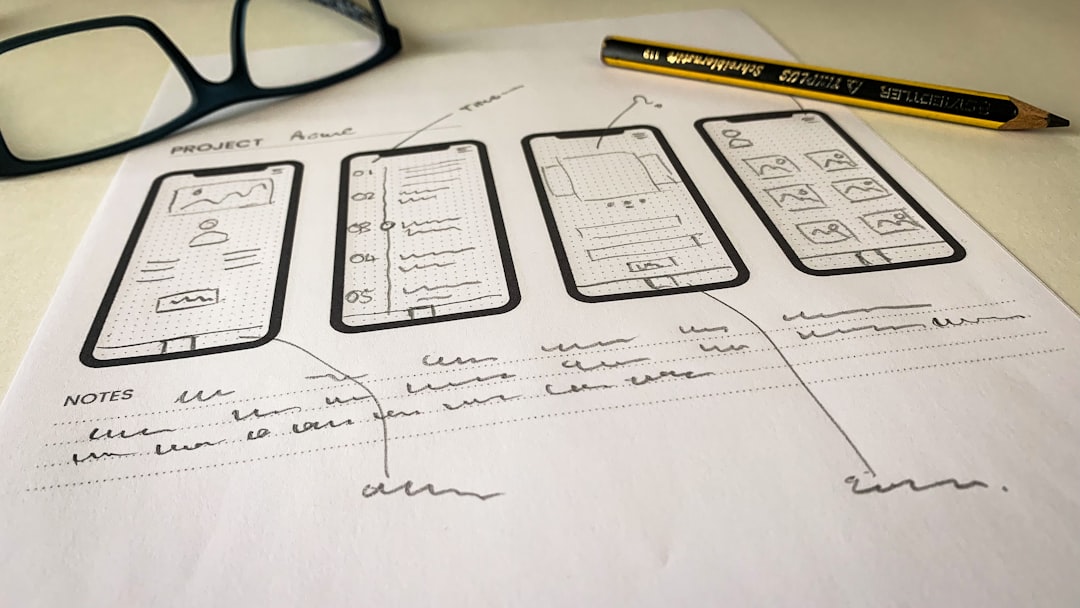
Maintaining simplicity and clarity in design is often the difference between an amateur-looking site and a professional one.
Final Thoughts
Drag-and-drop website builders have democratized web design. For non-tech users, the ability to create a credible online presence without writing code is not just convenient—it is transformative.
Wix offers unmatched creative freedom. Squarespace excels in design elegance. Weebly prioritizes simplicity. Shopify dominates ecommerce. WordPress.com provides robust publishing capabilities.
The best platform is ultimately the one that aligns with your goals, comfort level, and future ambitions. By focusing on usability, scalability, and professional presentation, non-technical users can confidently build websites that compete effectively in today’s digital landscape.
A well-chosen drag-and-drop builder is more than a tool—it is a gateway to independence, visibility, and growth in an increasingly online world.