How to Look Up a Walmart Receipt
Keeping track of purchase receipts is an essential part of managing returns, warranties, reimbursements, and personal finances. Walmart, as one of the largest retailers in the world, processes millions of transactions daily, and customers often need to retrieve past receipts for a variety of reasons. Fortunately, there are several convenient ways to look up a Walmart receipt, whether the purchase was made in-store or online.
TLDR: Customers can look up a Walmart receipt through their Walmart.com account, the Walmart app, email confirmations, or by contacting customer service. In-store receipts may also be retrieved at the service desk with the original payment method or transaction details. Creating a Walmart account and using Walmart Pay makes future retrieval faster and easier. Keeping digital records helps avoid issues with returns, warranties, and expense tracking.
Why Someone Might Need to Look Up a Walmart Receipt
There are numerous circumstances in which a person may need a copy of a Walmart receipt. Some of the most common include:
- Returning or exchanging an item
- Filing a warranty claim
- Submitting business expense reports
- Tracking personal spending
- Applying for rebates
While paper receipts can easily be misplaced, Walmart offers digital tools that make it relatively simple to retrieve past transaction details.
How to Look Up a Walmart Receipt Online (Walmart.com Account)
If a purchase was made online or the customer was logged into their Walmart account during checkout in-store, retrieving the receipt is straightforward.
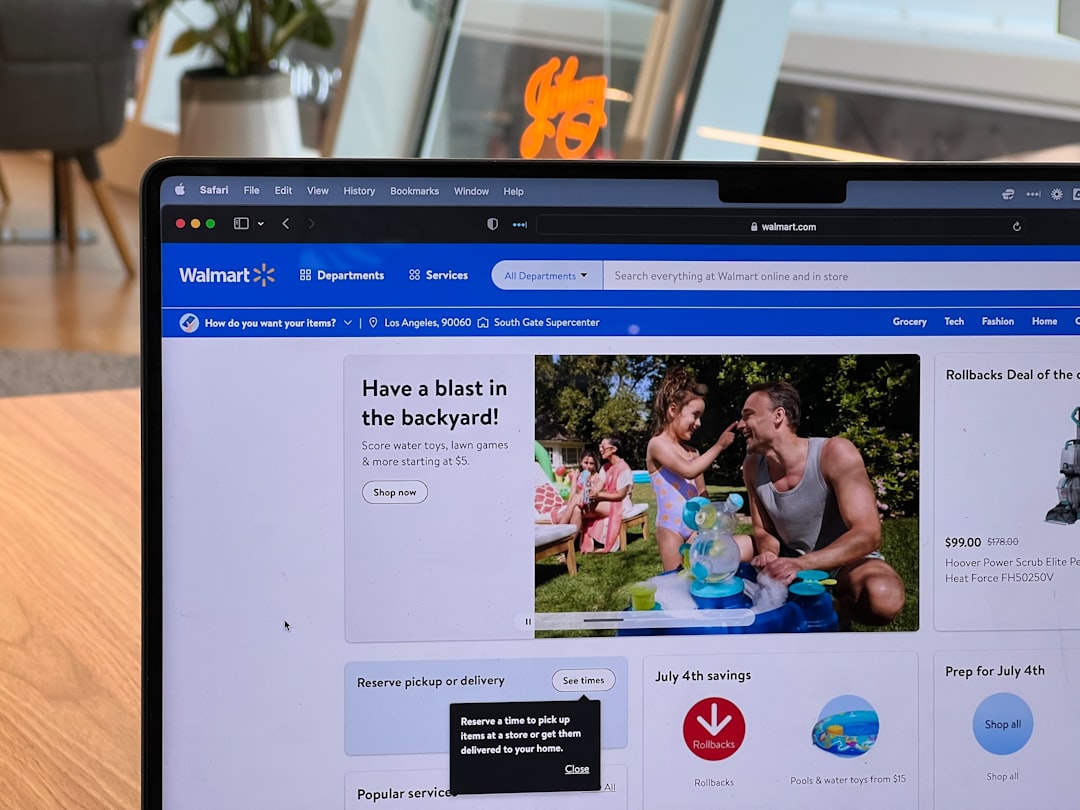
Step-by-Step Process:
- Visit Walmart.com.
- Click on Account in the top-right corner.
- Select Purchase History.
- Browse through past orders.
- Click on the specific order to view details or print the receipt.
Receipts for online purchases are stored indefinitely within the account, making this method one of the easiest and most reliable ways to access transaction records.
Tip: If the purchase was made as a guest, checking the confirmation email is usually the fastest alternative.
Using the Walmart App to Find Receipts
The Walmart mobile app provides another convenient method for retrieving digital receipts. Customers who use Walmart Pay automatically store receipts digitally within the app.
To access receipts in the app:
- Open the Walmart app.
- Tap on Account.
- Select Purchase History or Wallet.
- Locate the desired transaction.
For users who paid with Walmart Pay in-store, the receipt should appear automatically after the transaction is completed. This eliminates the need to keep paper copies and makes returns significantly easier.
Advantages of Using the App:
- Instant digital storage of receipts
- Reduced risk of losing documentation
- Quick access during returns
- Easy expense tracking
Looking Up an In-Store Receipt Without an Account
If the purchase was made in-store without logging into a Walmart account or using Walmart Pay, retrieving the receipt may still be possible, though it can require extra effort.
Option 1: Visit the Customer Service Desk
Customers can visit the Walmart store where the purchase was made and speak with a customer service associate. They should bring:
- The original payment method (credit or debit card)
- A valid photo ID
- Approximate date and time of purchase
- The store location
In many cases, Walmart can look up the transaction using the card used for payment. However, this may depend on the store’s record retention policy.
Option 2: Use the Receipt Lookup Tool
Walmart provides an online receipt lookup tool for certain transactions. Customers may need details such as:
- ZIP code of the store
- Purchase date
- Total transaction amount
- Last four digits of the card used
This method works best when customers have partial transaction details available.
Can a Receipt Be Retrieved With Cash Payments?
Recovering a receipt for a cash transaction can be more challenging. Without a payment card to trace, store associates must rely on transaction details such as:
- Exact purchase date and time
- Register number (if known)
- Total transaction amount
In some cases, if the customer has the original packaging with a barcode or the item’s serial number, the store may be able to assist. However, there is no guarantee.
Important: Policies may vary by store location, so contacting the specific store directly often yields the most accurate guidance.
Checking Email for Online Receipts
For online orders or curbside pickups, Walmart sends confirmation emails after purchase. Searching an email inbox for terms like “Walmart order confirmation” or “Walmart receipt” can quickly produce a digital copy.
These emails typically include:
- Order number
- Itemized list of products
- Payment details
- Pickup or shipping information
Saving these emails in a dedicated folder can make future retrieval easier.
How Long Does Walmart Keep Receipt Records?
Walmart retains transaction data for a considerable period, though exact timeframes may vary. Online account purchases are generally stored long term within the user’s purchase history. In-store transactions linked to a card often remain accessible for several months or longer.
However, older purchases may become more difficult to retrieve, particularly if no account or payment card was associated with the sale.
What If the Receipt Cannot Be Found?
If retrieval attempts are unsuccessful, customers may still have options:
- Request a return without a receipt (subject to Walmart’s return policy and ID verification)
- Use packaging, serial numbers, or bank statements as proof of purchase
- Check with the product manufacturer for warranty support
Walmart does allow some returns without receipts, but refunds may be issued as store credit rather than to the original payment method.
Tips to Avoid Losing Walmart Receipts in the Future
To prevent receipt retrieval issues, customers can adopt a few proactive habits:
- Create and use a Walmart.com account
- Pay using Walmart Pay for automatic digital storage
- Opt for email receipts when available
- Take photos of paper receipts
- Organize receipts in digital folders
Digital recordkeeping not only simplifies returns but also improves budgeting and expense tracking practices.
Understanding Walmart’s Return Policy
While having a receipt makes returns smoother, Walmart’s general return window for most items is 90 days. Electronics and select items may have shorter return periods.
A receipt typically allows:
- Refund to the original payment method
- Smooth exchanges
- Faster service at the customer desk
Without a receipt, returns may be limited, and identification may be required to process the request.
Common Issues When Looking Up Walmart Receipts
Some customers encounter challenges such as:
- Purchases not appearing in account history
- Incorrect email association
- Card changes or expired accounts
- Cash payments without documentation
In these cases, contacting Walmart Customer Care through their website or by phone can provide additional support.
Frequently Asked Questions (FAQ)
1. Can Walmart look up a receipt with just my credit card?
In many cases, yes. If the purchase was made with a credit or debit card, Walmart can often search the transaction using the card number and approximate purchase date.
2. How do I find my Walmart receipt in the app?
Open the Walmart app, go to the Account section, and select Purchase History or Wallet. Receipts linked to your account or Walmart Pay transactions should appear there.
3. Can Walmart reprint a receipt from months ago?
It depends on the store and how the purchase was made. Online orders remain in your account history, but older in-store transactions may be harder to retrieve without linked payment information.
4. What happens if I lost my receipt and paid with cash?
Cash purchases are more difficult to track. You may need to provide specific transaction details. Returns without a receipt may still be possible but could result in store credit.
5. Are digital receipts legally valid?
Yes, digital receipts are generally accepted for returns, warranties, and expense documentation, provided they show transaction details clearly.
6. Does Walmart automatically email receipts?
Receipts are emailed for online orders and for customers who choose email or use Walmart Pay. Standard in-store purchases typically provide printed receipts unless digital options are selected.
7. How can someone make receipt lookup easier in the future?
Using a Walmart account, enabling Walmart Pay, and keeping confirmation emails greatly simplifies future receipt retrieval.
Looking up a Walmart receipt is usually a simple process when customers use digital tools and maintain good recordkeeping habits. With multiple retrieval methods available—including online accounts, mobile apps, email confirmations, and in-store assistance—most shoppers can access their transaction history when needed. Adopting digital receipt practices ensures smoother returns, better expense tracking, and fewer frustrations in the future.