Best IG Profile Viewers in 2026 Compared
Instagram is still the giant photo party in 2026. People use it to follow friends, study creators, check brands, and spy on good vacation ideas. So, yes, “IG profile viewers” are still popular. But the best ones are not magic spy tools. They are safe ways to view, compare, and understand public Instagram profiles.
TLDR: The best IG profile viewer in 2026 is still the official Instagram app or website for everyday use. For research, tools like Not Just Analytics, Social Blade, Later, and Sprout Social are more useful. Avoid any tool that says it can show private profiles or reveal exactly who viewed your profile. That is usually fake, risky, or against the rules.
First, What Is an IG Profile Viewer?
An IG profile viewer is any tool that helps you view an Instagram profile. Simple, right?
But the phrase can mean a few different things.
- Basic viewers let you open and browse public profiles.
- Analytics viewers show follower growth, engagement, and post performance.
- Business tools help teams manage profiles and compare accounts.
- Anonymous viewers claim to let you browse without logging in.
- Scam viewers claim they can unlock private accounts or reveal stalkers.
That last group is the trouble zone. If a tool says, “See any private Instagram profile now,” run away. Fast. Maybe with dramatic music.
In 2026, Instagram is stricter about privacy and scraping. Good tools play by the rules. Bad tools ask for your login, show too many ads, or promise impossible things.
The Golden Rule for 2026
No safe viewer can show private Instagram profiles without permission.
Private means private. If you want to see a private account, you need to send a follow request. That is the real method. It is boring. It is also legal and safe.
Also, no legit app can show a perfect list of everyone who viewed your Instagram profile. Instagram does not provide that data. Some story viewers are visible to the story owner. But general profile views are not shown like a guest list at a wedding.
So when comparing IG profile viewers, we are really comparing safe tools for public viewing, profile research, analytics, and brand tracking.
Best IG Profile Viewers in 2026 Compared
| Tool | Best For | Free Option | Safety Level |
|---|---|---|---|
| Instagram App | Everyday viewing | Yes | Very high |
| Instagram Web | Desktop browsing | Yes | Very high |
| Meta Business Suite | Business pages and insights | Yes | Very high |
| Not Just Analytics | Creator and competitor research | Limited | High |
| Social Blade | Follower trends | Yes | High |
| Later | Social planning and profile review | Limited | High |
| Sprout Social | Teams and agencies | Trial | High |
1. Instagram App: Best Overall
The official Instagram app is still the best IG profile viewer for most people. Shocking? Not really.
It is fast. It is safe. It shows posts, Reels, Stories, Highlights, tagged posts, bios, links, and follower information. It also gives the most accurate experience because it is the real thing.
Best features:
- View public profiles with full layout.
- Follow private profiles by request.
- Watch Stories and Reels.
- Save posts to collections.
- Use account insights if you own the profile.
Good for: normal users, fans, creators, and small businesses.
Not so good for: deep competitor analytics.
Fun rating: 9 out of 10. It is the main party.
2. Instagram Web: Best for Desktop Browsing
Instagram Web has become much better over the years. In 2026, it is clean and useful. It is perfect when you want a bigger screen and fewer thumb cramps.
You can view public profiles, browse feeds, check messages, and manage some posting tasks. It is also handy for creators who like to copy captions from a document. No more typing giant captions on a tiny keyboard like a hamster pianist.
Best features:
- Easy profile viewing on a laptop.
- Great for research.
- No extra app needed.
- Safe login through Instagram.
Good for: students, marketers, writers, and desktop lovers.
Not so good for: advanced analytics.
3. Meta Business Suite: Best for Business Owners
Meta Business Suite is not a classic profile viewer. It is more like a control room. If your Instagram account is connected to a business or creator page, this tool helps you see what is working.
You can check insights, manage comments, schedule content, and review performance. It is especially useful if your profile is not just for selfies and brunch. Though brunch is still valid content. Respect the avocado toast.
Best features:
- Official Meta tool.
- Account insights.
- Content scheduling.
- Inbox management.
- Ad performance review.
Good for: shops, local brands, creators, and service businesses.
Not so good for: viewing other people’s profiles in detail.
4. Not Just Analytics: Best for Public Profile Research
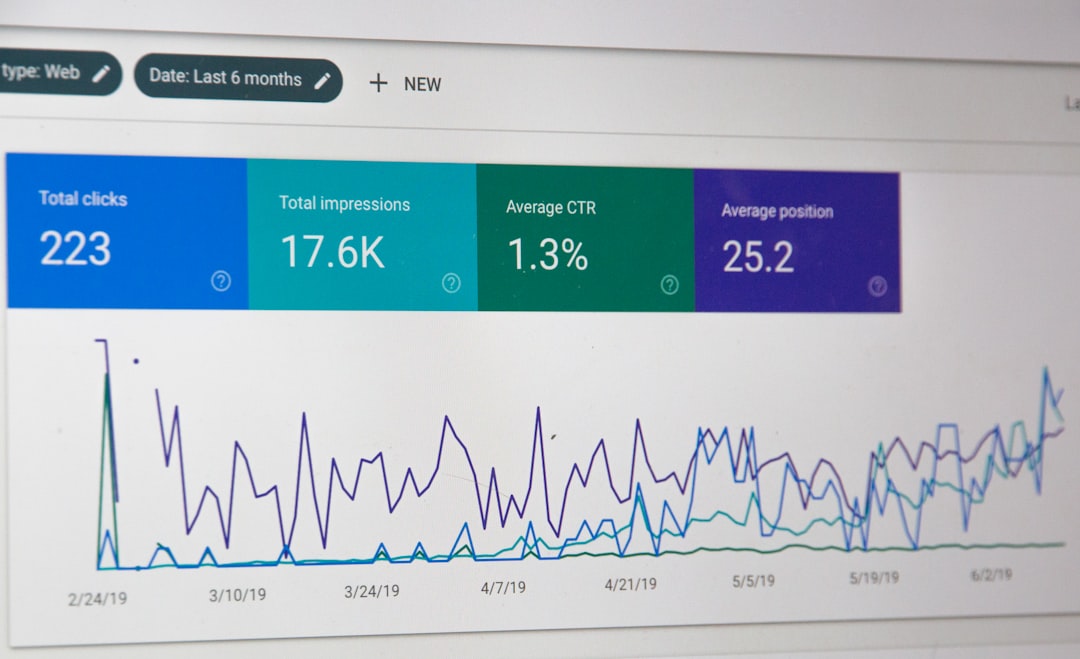
Not Just Analytics is popular with creators and marketers. It helps you understand public Instagram profiles. You can look at engagement rates, follower changes, and content performance.
This is useful when you want to know if an influencer has a real audience. A big follower count is nice. But engagement is the juicy part. Ten loyal fans can be better than ten thousand sleepy ghosts.
Best features:
- Public profile analysis.
- Follower growth checks.
- Engagement rate estimates.
- Simple reports.
Good for: influencer research, creator comparisons, and brand checks.
Not so good for: private profiles or personal browsing.
Verdict: Great for smart research. Not a spy gadget.
5. Social Blade: Best for Quick Follower Trends
Social Blade is a long-time favorite for social stats. It tracks public data and gives simple charts. It is not fancy like a space dashboard. But it is useful.
You can see growth patterns and broad profile trends. This helps you spot sudden jumps, drops, or strange activity. It is great for a quick look before you work with a creator or study a niche.
Best features:
- Easy follower tracking.
- Public trend charts.
- Simple layout.
- Free access for basic checks.
Good for: quick research and simple comparisons.
Not so good for: deep post-level insights.
6. Later: Best for Creators Who Plan Content
Later is mostly known as a scheduling tool. But it also helps creators review their own Instagram profiles. You can plan posts, preview your feed, check analytics, and manage content.
This matters because a profile is not just one post. It is a tiny digital storefront. Your bio, grid, highlights, and pinned posts all work together. Later helps you see the big picture before you publish.
Best features:
- Visual feed planner.
- Post scheduling.
- Basic analytics.
- Link in bio tools.
Good for: content creators, small brands, and solo marketers.
Not so good for: anonymous browsing or competitor spying.
7. Sprout Social: Best for Teams and Agencies
Sprout Social is a serious tool. It is built for teams that manage many social profiles. It offers reporting, listening, publishing, and engagement features.
If Instagram is part of your business machine, Sprout Social is powerful. If you only want to peek at your cousin’s travel photos, it is too much. Like using a forklift to move one cupcake.
Best features:
- Advanced analytics.
- Team workflows.
- Inbox tools.
- Campaign reports.
- Social listening features.
Good for: agencies, larger brands, and marketing teams.
Not so good for: casual users.
What About Anonymous IG Viewers?
Anonymous viewers are tricky. Some websites let you view public Instagram content without logging in. They may work one day and break the next. Instagram often changes how public content loads. So these tools can be unstable.
Some are also full of pop-ups, fake buttons, and strange download prompts. That is not fun. That is digital swamp energy.
If you use a public viewer, follow simple rules:
- Do not enter your Instagram password.
- Do not download unknown files.
- Do not pay for “private unlocks.”
- Do not trust “see who stalked you” claims.
- Use them only for public content.
Bottom line: anonymous viewers can be convenient, but they are not the safest choice. Official tools are better.
Red Flags to Avoid in 2026
Some IG viewer tools are basically trouble wearing a fake mustache. Watch for these signs.
- They ask for your password. Huge red flag.
- They promise private profile access. Not legit.
- They claim to show all profile visitors. Usually fake.
- They force surveys. Often a scam loop.
- They have too many pop-ups. Leave quickly.
- They ask for payment before showing anything. Be careful.
Your Instagram account is valuable. Treat it like your house key. Do not hand it to a random website with flashing buttons.
Best Choice by User Type
Still not sure which one to choose? Here is the simple version.
- Casual user: Use the Instagram app.
- Desktop browser: Use Instagram Web.
- Small business: Use Meta Business Suite.
- Creator: Use Later plus Instagram Insights.
- Influencer researcher: Use Not Just Analytics.
- Quick stats checker: Use Social Blade.
- Marketing team: Use Sprout Social.
Final Verdict
The best IG profile viewer in 2026 depends on your goal. For normal browsing, the official Instagram app wins. It is safe, complete, and easy. For desktop viewing, Instagram Web is the simple pick.
If you want analytics, choose a real research tool. Not Just Analytics is great for public profile checks. Social Blade is good for quick trend spotting. Later is great for creators who plan content. Sprout Social is best for bigger teams.
Just remember the big rule. If a viewer promises secret access, it is probably not your friend. The best tools are boring in the best way. They are safe. They are clear. They do not ask for your password. And they do not pretend to be a magic Instagram crystal ball.
Use smart tools. Respect privacy. Enjoy the scroll.