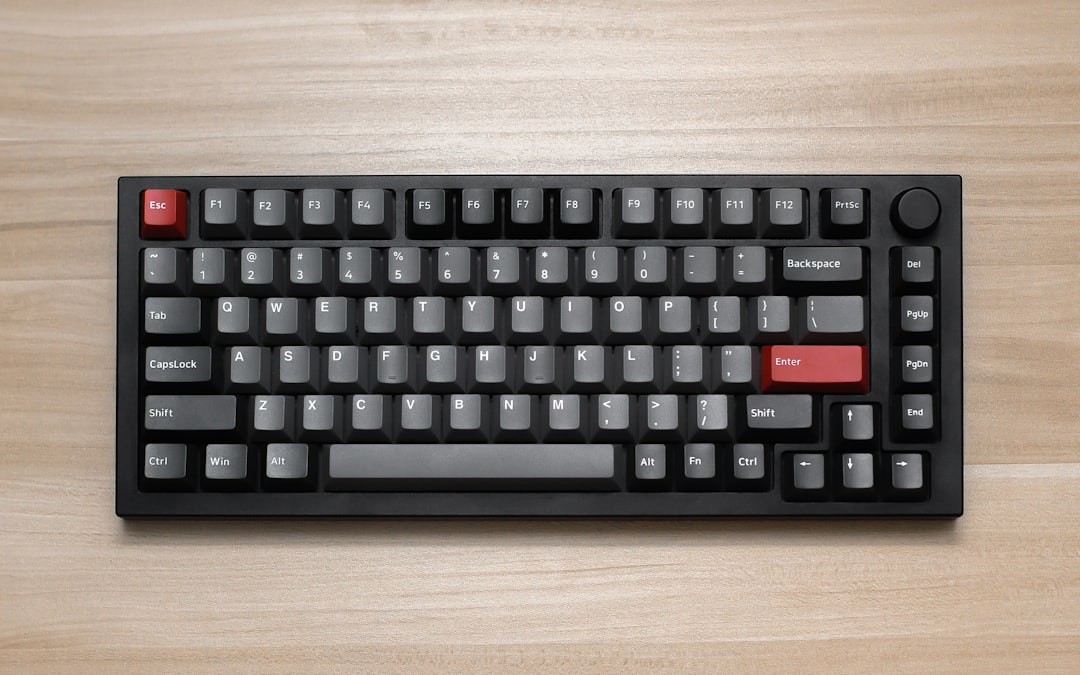
Best Keyboard Layout Editor Tools for Custom Mechanical Keyboard Layouts
Custom mechanical keyboards have moved from niche hobby to serious productivity tool, and layout planning is one of the most important steps before buying switches, plates, PCBs, or keycaps. A good keyboard layout editor helps builders visualize key sizes, test ergonomic ideas, prepare firmware, and avoid expensive design mistakes before a single part is ordered.
TLDR: The best keyboard layout editor tools combine visual design, accurate key sizing, export options, and firmware compatibility. For example, a builder designing a 65% keyboard can use Keyboard Layout Editor to plan a 67-key layout, then move the design into QMK Configurator or VIA for functional keymapping. In community builds, layout planning can reduce revision mistakes significantly, especially when nonstandard keys such as 1.75u Shift or split Backspace are involved.
Why Keyboard Layout Editors Matter
A custom mechanical keyboard is more than a collection of switches and keycaps. Its layout determines comfort, typing speed, gaming efficiency, and long-term usability. A poorly planned layout may create spacing issues, incompatible stabilizer placements, or firmware problems. Because many custom parts are expensive and often produced in limited runs, digital planning is essential.
Keyboard layout editor tools allow designers to experiment with different formats, including 40%, 60%, 65%, 75%, TKL, split ergonomic boards, macropads, and full-size layouts. They also help document important details such as key unit sizes, legends, layers, and special functions.

1. Keyboard Layout Editor
Keyboard Layout Editor, often called KLE, is one of the most widely used tools in the custom keyboard community. It is a browser-based visual editor that allows designers to place keys, resize them, change legends, adjust colors, and build highly detailed layout mockups.
Its biggest advantage is flexibility. A designer can create standard ANSI and ISO layouts, split spacebars, rotary encoder positions, macro clusters, and unusual staggered or ortholinear designs. KLE also provides raw data output, which can be used by other tools in the keyboard design workflow.
- Best for: visual layout planning and sharing concepts
- Strengths: precise key sizing, flexible legends, community familiarity
- Limitations: not a full firmware editor by itself
KLE is especially useful during the early design stage. It helps builders answer practical questions: Does the right Shift need to be 1.75u or 2.25u? Should the keyboard use split Backspace? Is there enough room for arrow keys on a compact layout? These questions are easier to solve visually than through measurements alone.
2. QMK Configurator
QMK Configurator is a powerful online tool connected to the QMK firmware ecosystem. Unlike pure visual layout tools, it focuses on assigning key functions and generating firmware files for compatible keyboards.
This tool is ideal once the physical layout is already defined. A builder can select a supported keyboard, assign keys across layers, configure function keys, and create a firmware file for flashing. For custom mechanical keyboard layouts, QMK is especially valuable because it supports advanced features such as layers, tap dance, mod tap, macros, and encoder actions.
- Best for: firmware generation and functional keymaps
- Strengths: deep customization, broad keyboard support, advanced features
- Limitations: less suited for freeform visual design from scratch
For example, a compact 40% keyboard may require three or four layers to access numbers, symbols, navigation, and media controls. QMK Configurator makes this possible without needing every key to exist physically on the board.
3. VIA
VIA is popular because it allows real-time key remapping on supported keyboards. Instead of recompiling firmware every time a layout changes, the user can adjust key assignments through a clean graphical interface and see changes immediately.
VIA is not primarily a design tool for inventing a new physical layout. However, it is one of the best tools for refining a finished custom keyboard. It is especially useful for testing productivity layouts, gaming profiles, or alternative modifier placements.
- Best for: real-time key remapping
- Strengths: fast workflow, user-friendly interface, layer support
- Limitations: requires keyboard and firmware compatibility
A keyboard enthusiast who switches between coding and gaming may use VIA to keep one layer for programming symbols and another for game-specific macros. This makes it practical to fine-tune a layout over days or weeks instead of committing to a single static setup.

4. Vial
Vial is similar to VIA but often appeals to advanced users who want more open configuration control. It supports real-time remapping, multiple layers, macros, combos, tap dance, and other features depending on the keyboard firmware.
Vial can be particularly helpful for ergonomic boards, split keyboards, and compact layouts where every key must perform multiple duties. Its interface makes complex behavior easier to manage than editing firmware files manually.
- Best for: advanced real-time configuration
- Strengths: open-source focus, powerful feature set, excellent for complex layouts
- Limitations: setup may be more technical than VIA
For builders experimenting with home-row modifiers or layer-tap keys, Vial offers a practical way to test comfort and accuracy. Since small ergonomic changes can affect typing rhythm, real-time adjustment is a major advantage.
5. Ergogen
Ergogen is a layout and PCB generation tool designed for more advanced keyboard projects. It is especially useful for split ergonomic keyboards, column-staggered layouts, and designs that need mathematically consistent positioning.
Unlike drag-and-drop editors, Ergogen is configuration-driven. Designers define points, zones, rotations, outlines, and footprints, then generate files that can be used in PCB workflows. This makes it less beginner-friendly, but very powerful for serious custom design.
- Best for: ergonomic and PCB-focused keyboard design
- Strengths: precise geometry, repeatable placement, advanced output options
- Limitations: steeper learning curve
Ergogen is a strong choice when a layout is not based on a traditional rectangle. Curved thumb clusters, angled halves, and column stagger all benefit from a parametric design method.
6. Swillkb Plate and Case Builder
Swillkb Plate and Case Builder has long been used by mechanical keyboard builders to generate plate files from layout data. It is often used with KLE output, making it useful for turning a visual layout into a physical mounting plate concept.
The tool helps generate files suitable for laser cutting or further CAD work. While it may not replace professional mechanical design software, it can speed up prototyping and help builders understand switch cutouts, stabilizer options, and plate dimensions.
- Best for: plate file generation
- Strengths: works with KLE data, useful for prototyping, practical output
- Limitations: interface and workflow may feel dated
How to Choose the Right Tool
The right keyboard layout editor depends on the stage of the project. Early concept work benefits from a visual tool, while firmware planning requires a keymapping editor. Advanced ergonomic or PCB projects may need configuration-based generation.
- For visual mockups: Keyboard Layout Editor is usually the best starting point.
- For firmware: QMK Configurator provides broad customization.
- For quick remapping: VIA or Vial is ideal after the board is built.
- For ergonomic geometry: Ergogen provides more advanced control.
- For plates: Swillkb can help convert layout data into usable files.
A practical workflow often combines several tools. A designer may create the layout in KLE, generate a plate file with Swillkb, design or adapt the PCB separately, and then configure firmware through QMK, VIA, or Vial. This layered approach reduces guesswork and improves the final typing experience.
Image not found in postmetaCommon Mistakes to Avoid
One common mistake is focusing only on appearance. A layout may look balanced but still be uncomfortable if frequently used keys are buried on awkward layers. Another mistake is ignoring keycap compatibility. Nonstandard bottom rows, split spaces, and unusual Shift sizes can limit available keycap sets.
Builders should also confirm stabilizer requirements, switch spacing, plate support, and firmware compatibility before committing to production. Even a small mismatch, such as choosing the wrong Enter key style or stabilizer orientation, can delay a build or require expensive revisions.
FAQ
What is the best keyboard layout editor for beginners?
Keyboard Layout Editor is usually the best beginner option because it is visual, browser-based, and widely used by the mechanical keyboard community.
Can a layout editor create keyboard firmware?
Some tools focus on layout design, while others focus on firmware. QMK Configurator, VIA, and Vial are better suited for assigning key functions and managing layers.
Is VIA better than QMK Configurator?
Neither is universally better. VIA is excellent for real-time remapping on compatible keyboards, while QMK Configurator is useful for creating firmware files and more structured keymaps.
What tool is best for split ergonomic keyboards?
Ergogen is a strong choice for split ergonomic designs because it supports precise positioning, column stagger, thumb clusters, and custom geometry.
Does every custom keyboard support VIA or Vial?
No. A keyboard must have compatible firmware support. Before choosing a remapping tool, the builder should confirm whether the PCB and firmware are supported.
Why are key sizes like 1.25u or 2.25u important?
Mechanical keyboard layouts use unit-based measurements. These sizes determine whether keycaps, stabilizers, plates, and PCBs will fit correctly, making accurate layout editing essential.