
File Storage Apps That Let You Access Documents From Anywhere
In today’s fast-paced digital world, the ability to access your documents from anywhere is no longer a luxury—it’s a necessity. Whether you’re a student collaborating on a group project, a remote worker managing reports, or a business owner handling contracts across multiple devices, file storage apps have transformed the way we store and share information. These platforms allow users to upload, organize, sync, and access files in real time from virtually any device with an internet connection.
TLDR: File storage apps let you securely store and access documents from anywhere, using cloud technology to sync files across devices. Popular options like Google Drive, Dropbox, OneDrive, iCloud, and Box each offer unique features tailored to personal and business needs. Choosing the right platform depends on storage space, security features, collaboration tools, and pricing. With the right app, managing files becomes faster, safer, and more convenient than ever.
In this article, we’ll explore how file storage apps work, their key features, the benefits they provide, and compare some of the top platforms available today.
What Are File Storage Apps?
File storage apps, often referred to as cloud storage services, allow users to upload files to remote servers instead of storing them solely on a single device. These files are stored in secure data centers and can be accessed via apps or web browsers on smartphones, tablets, laptops, and desktop computers.
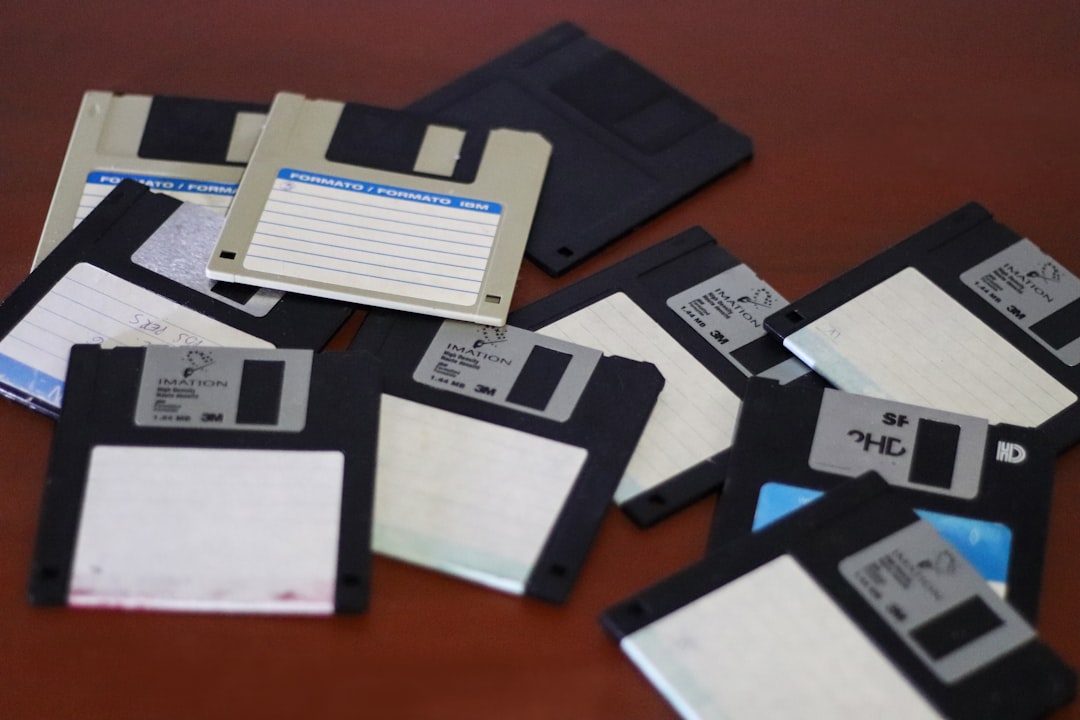
Rather than relying on physical storage devices like USB drives or external hard drives, users benefit from:
- Remote access from anywhere with internet connectivity
- Automatic synchronization across multiple devices
- Real-time collaboration with teams or clients
- Backup and recovery protection against data loss
Key Features to Look For
Not all file storage apps are created equal. While most offer basic storage capabilities, the best platforms provide a wide array of productivity and security features.
1. Cross-Platform Compatibility
A top-tier storage app should function seamlessly on Windows, macOS, iOS, Android, and web browsers. The ability to switch devices without disruption is essential for flexibility.
2. Automatic Syncing
When you edit a document on your laptop, changes should immediately reflect on your phone or tablet. File syncing ensures you’re always working with the most recent version.
3. File Sharing & Collaboration
Look for platforms that allow:
- Shareable links
- Password-protected access
- Permission controls (view, comment, edit)
- Real-time editing by multiple users
4. Security & Encryption
Security should be a top priority. Many apps use:
- End-to-end encryption
- Two-factor authentication (2FA)
- Secure data centers
5. Backup & File Recovery
Version history and file recovery ensure that accidentally deleted or modified documents can be restored.
Top File Storage Apps for Anywhere Access
Here are five of the most widely used file storage platforms, each offering strong remote accessibility and unique advantages.
1. Google Drive
Google Drive is one of the most popular cloud storage platforms globally. Integrated with Google Workspace, it provides built-in tools for document creation, spreadsheets, and presentations.
Key Benefits:
- 15 GB of free storage
- Seamless Google Docs integration
- Strong collaboration tools
- AI-powered search functionality
It’s ideal for students, freelancers, and small businesses that require collaboration and frequent editing.
2. Dropbox
Dropbox is known for its simplicity and reliability. It was one of the pioneers in cloud-based syncing and continues to offer a clean, user-friendly interface.
Key Benefits:
- Excellent file synchronization
- Smart file recovery
- Integration with third-party tools
- Strong business solutions
Dropbox is particularly favored by creative professionals managing large design or media files.
3. Microsoft OneDrive
OneDrive integrates directly into Windows systems and Microsoft 365 applications like Word, Excel, and PowerPoint.
Key Benefits:
- Deep Microsoft Office integration
- 1 TB storage with Microsoft 365 subscription
- Advanced security compliance options
This platform works best for businesses already embedded in the Microsoft ecosystem.
4. Apple iCloud Drive
iCloud Drive is optimized for Apple users, allowing seamless document sharing across iPhones, iPads, and Mac computers.
Key Benefits:
- Smooth Apple device integration
- Automatic photo and document backup
- Strong privacy controls
It’s most suitable for users heavily invested in Apple’s ecosystem.
5. Box
Box focuses on enterprise-level security and collaboration, making it a favorite among corporations handling sensitive documents.
Key Benefits:
- Enterprise-grade security
- Workflow automation tools
- Advanced compliance management

Comparison Chart of Popular File Storage Apps
| Platform | Free Storage | Best For | Collaboration Tools | Security Features |
|---|---|---|---|---|
| Google Drive | 15 GB | Students & small teams | Excellent real-time editing | Encryption, 2FA |
| Dropbox | 2 GB | Creatives & freelancers | File sharing & recovery | Encryption, advanced recovery |
| OneDrive | 5 GB | Microsoft users | Office integration | Compliance & encryption |
| iCloud Drive | 5 GB | Apple users | Basic collaboration | Strong privacy controls |
| Box | 10 GB (personal) | Enterprises | Workflow automation | Enterprise security |
Benefits of Accessing Documents from Anywhere
Why has cloud storage become so essential? The convenience and efficiency it offers are unmatched.
Work Flexibility
Remote access supports hybrid and fully remote work models. Employees can open important files from home, airports, coworking spaces, or client offices.
Improved Collaboration
Multiple users can edit or comment on a file simultaneously, eliminating the hassle of emailing attachments back and forth.
Enhanced Data Security
Cloud storage providers invest heavily in cybersecurity. In many cases, storing files in the cloud is safer than storing them solely on a single device.
Reduced Hardware Dependence
With cloud access, your laptop is no longer the only gateway to your important documents. If a device breaks or gets lost, files remain safe online.
How to Choose the Right File Storage App
To select the best app for your needs, ask yourself:
- How much storage space do I need?
- Do I require advanced collaboration tools?
- Is integration with specific software essential?
- What level of security is necessary?
- What is my budget?
If you primarily work alone, a basic free plan may suffice. For teams or businesses handling sensitive information, paid plans with enhanced security and compliance features are often worth the investment.
The Future of File Storage
Cloud storage continues to evolve. Many platforms are integrating artificial intelligence to organize files automatically, suggest relevant documents, and enhance search capabilities. Additionally, zero-trust security frameworks and advanced encryption technologies are becoming more common.
In the coming years, we can expect:
- Smarter content organization powered by AI
- Stronger privacy controls for individuals
- More seamless integration between tools and platforms
- Greater automation in document workflows
As digital transformation accelerates, file storage apps will remain foundational tools in both personal productivity and business operations.
Final Thoughts
File storage apps that allow you to access documents from anywhere have revolutionized how we manage information. From real-time collaboration and automatic syncing to enterprise-grade security, these tools empower users with flexibility and control like never before. Whether you choose Google Drive for collaboration, Dropbox for simplicity, OneDrive for business integration, iCloud for Apple convenience, or Box for enterprise security, the right solution can significantly improve efficiency.
In a world where mobility and connectivity define success, having your documents just a click away isn’t just convenient—it’s essential.