Galileo AI vs Google Stitch: What Changed and Which Design Tool Should You Use?
Most teams should treat Google Stitch as the practical successor to Galileo AI, not as a simple side-by-side rival. Galileo AI helped prove that prompts could create usable app screens, but Google Stitch pushes the idea closer to production with stronger code output, image-based input, and Google ecosystem support.
TLDR: Galileo AI was better known as an AI UI concept generator, while Google Stitch is built for turning ideas into editable designs and front-end code faster. A small startup planning a fitness app, for example, could generate 5 onboarding screens in minutes, export them to Figma, and hand code to a developer for review the same day. In a typical product sprint, that can cut early wireframing time by 30% to 50%, especially for teams that already know what they want to build. The safer choice now is Stitch, unless a team is reviewing older Galileo AI workflows or prefers its past interface style.
What changed from Galileo AI to Google Stitch?
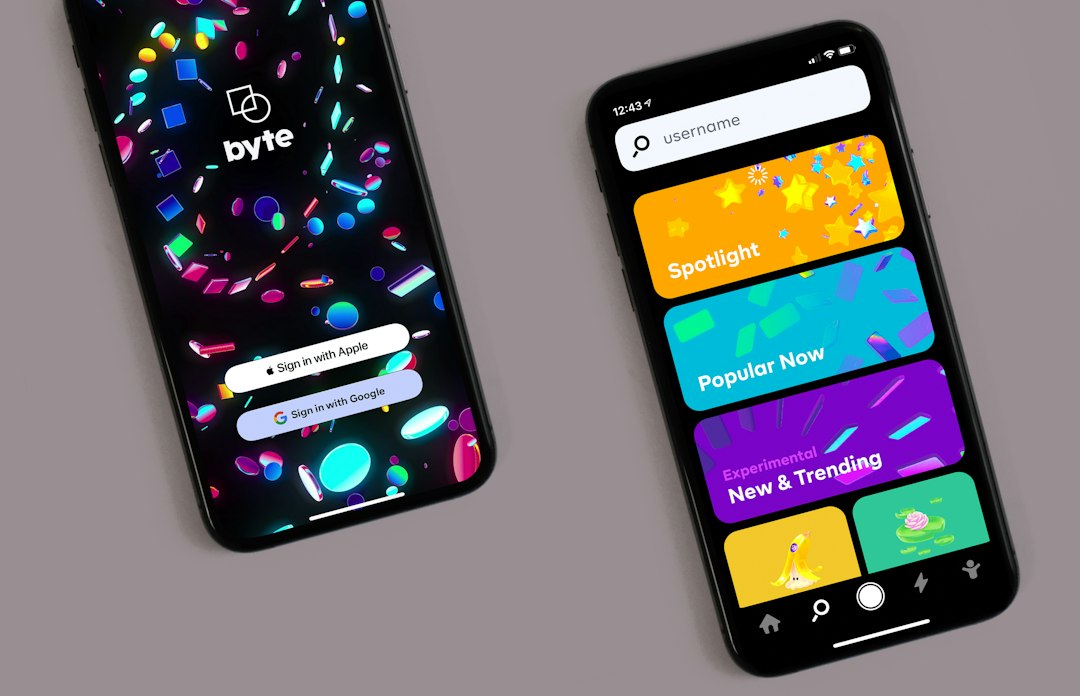
Galileo AI became popular because it made UI ideation feel shockingly simple. A designer could type a prompt such as “create a clean budgeting app dashboard for young professionals”, and the tool would produce polished mobile screens. It was not perfect, but it was fast, visual, and useful for escaping the blank canvas.
Google Stitch takes that same core promise and expands it. Instead of focusing only on pretty screen mockups, Stitch aims to help teams move from prompt to interface, then from interface to usable front-end code. It also supports design generation from images, which matters when a team already has a sketch, a brand direction, or a competitor reference.
The biggest change is not just branding. It is scope. Galileo AI felt like a smart design assistant. Stitch feels more like a bridge between product design and engineering. That shift matters for teams trying to reduce handoff friction.
Galileo AI: what it did well
Galileo AI earned attention by doing one thing well: turning plain language into UI concepts. It was useful for early product thinking, pitch decks, MVP planning, and visual brainstorming.
Its strengths were clear:
- Fast screen generation: users could create app concepts without starting in Figma from scratch.
- Clean visual output: many results looked polished enough for internal reviews.
- Prompt-friendly workflow: non-designers could explain what they needed in normal language.
- Good for ideation: it helped teams compare multiple directions before committing.
Still, Galileo AI had limits. Outputs often needed cleanup. Design systems were not always respected. Developers still had to interpret the intent behind layouts. Honestly, it felt like a great shortcut that still left a pile of handoff work sitting on the desk.
Google Stitch: what it adds
Google Stitch is built around a broader workflow. It can generate UI screens from text prompts and images, then help export designs or code. That makes it more useful for teams that want to move quickly from concept to prototype.
Its standout features include:
- Text-to-UI generation: teams can describe an app or website and receive screen designs.
- Image-to-UI support: rough sketches or visual references can guide the output.
- Code generation: Stitch can produce front-end code that developers can inspect and refine.
- Figma export: designers can keep working in a familiar design tool.
- Better fit for product teams: the workflow supports design, review, and development more directly.
This does not mean Stitch removes designers or developers. It does not. The tool still needs human judgment. Spacing, hierarchy, accessibility, states, and real product logic all need review. Expect to waste time on small fixes if the prompt is vague, especially around empty states, error messages, and complex navigation patterns.
Design quality: which tool wins?
For pure concept art and quick UI mood boards, Galileo AI was strong. It often produced attractive screens with modern layouts, soft gradients, cards, and familiar mobile app patterns.
Stitch has the edge when the design needs to become something usable. Its value is not only visual polish. It is the combination of design structure, editing options, and code direction. Designers still need to refine output, but the starting point is closer to a working product flow.
That said, AI-generated UI can become generic fast. Both tools can produce screens that look like every other SaaS dashboard or wellness app. A team with a strong brand system must still add personality, sharper content, and real user context.
Code output and developer handoff
This is where Stitch changes the discussion. Galileo AI helped teams see an idea. Stitch helps teams start building it.
Code generation is not magic. Developers should not expect flawless production-ready code from a single prompt. Components may need restructuring. Styling may need cleanup. Accessibility can be thin. State handling is often incomplete. Still, receiving a usable starting point can save hours during early prototyping.
For example, a product manager could ask Stitch for a two-sided marketplace landing page with a hero section, feature cards, pricing, testimonials, and sign-up flow. The team could then export the design, review the code, and decide what belongs in the real build. That is a cleaner path than recreating every section by hand after a static mockup review.
Ease of use
Both tools are approachable for non-designers. Galileo AI was especially easy for people who wanted quick visuals and did not want to touch detailed design settings.
Stitch asks for slightly more intent. Better prompts get better output. A prompt that includes platform, audience, style, content sections, color preferences, and desired behavior will usually beat a vague request like “make a finance app.”
A stronger prompt might be:
“Create a mobile banking app onboarding flow for first-time users aged 25 to 40. Use a calm blue and white style, include three onboarding screens, a sign-up screen, and a dashboard with balance, recent transactions, and savings goals.”
That extra detail may add 20 seconds to the prompt, but it can save 20 minutes of cleanup.
Which users are best suited for each tool?
Galileo AI made the most sense for:
- founders creating early product ideas;
- marketers preparing app visuals for decks;
- designers exploring layout directions;
- teams that needed mockups, not code.
Google Stitch is a better fit for:
- product teams building MVPs;
- designers who want editable Figma files;
- developers who want a rough front-end starting point;
- startups testing product ideas before hiring a full design team;
- agencies that need to show clients several directions fast.
Pricing and access
Pricing and access can change, especially with AI tools tied to large tech companies. Galileo AI’s original availability shifted after its move into Google’s orbit. Stitch, as a Google product, may change features, limits, and access rules over time.
Teams should check current access before planning a workflow around either tool. This sounds obvious, but it can save frustration. Nothing is more annoying than building a process around a tool, then finding out export limits or account access changed the next week.
Final recommendation
Google Stitch is the better choice for most current teams. It offers a broader workflow, stronger handoff potential, and better support for turning prompts into editable work. Galileo AI deserves credit for making prompt-based UI design feel real, but Stitch is the more useful option for teams that need movement from idea to prototype.
For quick visual brainstorming, either style of tool can help. For MVP planning, design reviews, Figma export, and front-end experiments, Stitch is the stronger pick. The best results still come from clear prompts, careful editing, and a human team that knows the product’s goals.
FAQ
Is Google Stitch the same as Galileo AI?
No. They are not the same product. Galileo AI was known for prompt-based UI generation. Google Stitch builds on the broader idea of AI-assisted interface creation, with stronger focus on editable designs and code output.
Which tool is better for beginners?
Google Stitch is likely better for beginners who want a guided path from idea to prototype. Galileo AI was also simple, but Stitch offers more practical next steps after the first design is created.
Can Google Stitch replace a designer?
No. It can speed up early work, but designers still need to fix hierarchy, content, accessibility, brand fit, and user flow. AI can start the screen. It cannot fully understand the product strategy.
Can developers use Stitch output in production?
They should treat it as a starting point. The code may need review, cleanup, testing, responsive fixes, and accessibility improvements before production use.
Which tool should a startup choose?
A startup should choose Google Stitch if it wants faster prototypes, design export, and code support. Galileo AI is mainly relevant for teams comparing older AI UI workflows or reviewing past generated concepts.