HDD Regenerator Usage: Repairing Bad Sectors
Hard drives are a crucial component of modern computing, responsible for storing your operating system, applications, personal files, and system data. Over time, physical wear and tear or manufacturing flaws can cause sectors on your hard drive to become inaccessible or “bad.” If you’ve ever experienced slow performance, data corruption, or strange clicking noises from your drive, it could be a sign of bad sectors. In such scenarios, tools like HDD Regenerator provide a possible solution.
TLDR (Too long, didn’t read)
HDD Regenerator is a utility that aims to detect and repair bad sectors on traditional magnetic hard disk drives. This tool works by using a unique algorithm to regenerate physically damaged sectors, improving the stability of your drive. While not a miracle cure, it is trusted by technicians for its ability to restore hard drives to better working condition. However, always back up your important data, as no hard drive repair tool is foolproof.
What Are Bad Sectors?
A bad sector is a section of the hard drive that has become unreadable or unreachable by the system. These can be classified into two types:
- Logical bad sectors: These are caused by software-level issues and may be fixed with standard disk utilities.
- Physical bad sectors: These involve actual physical damage to the platter and are more serious.
When a hard drive encounters bad sectors, the system can become sluggish or unstable, and in worst cases, file loss or boot failure may occur.
What is HDD Regenerator?
HDD Regenerator is a diagnostics and repair tool designed to address physical bad sectors. Unlike other disk utilities that merely mark bad sectors as unusable, HDD Regenerator attempts to physically regenerate damaged magnetization of the drive using a special algorithm based on magnetic force restoration.
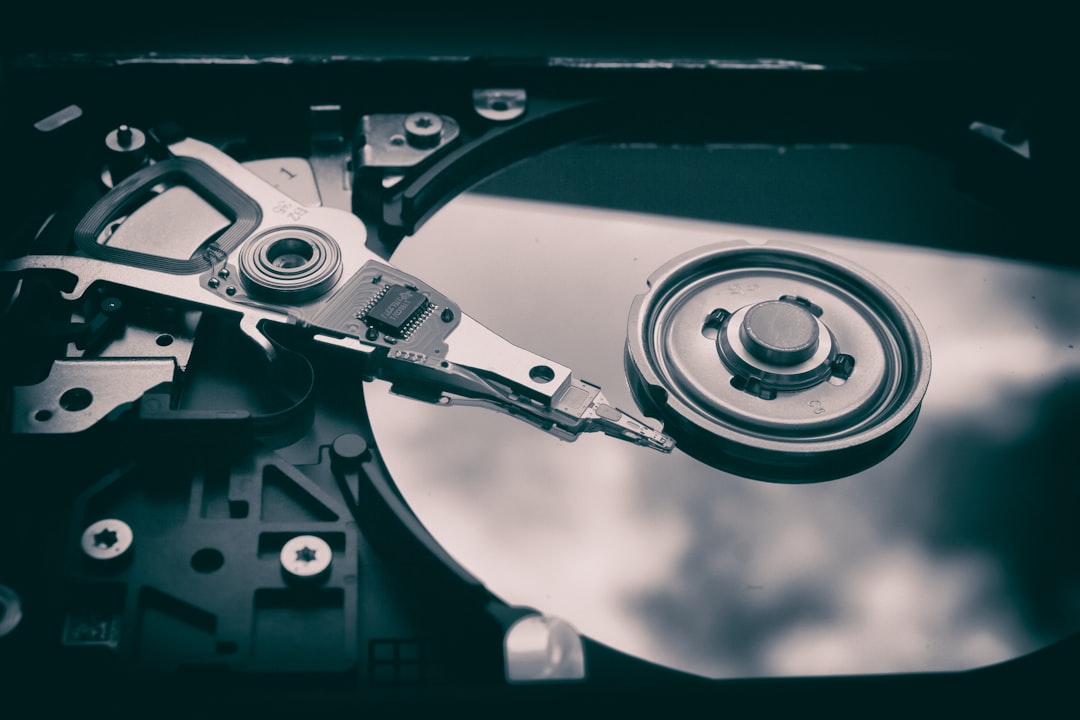
This makes the software particularly appealing to technicians and IT professionals seeking to give failing hard disks a second chance. Its non-destructive nature ensures that existing data is preserved during the scan and repair process—making it a safer alternative than reformatting or replacing the drive outright.
Key Features of HDD Regenerator
Here are some major capabilities offered by HDD Regenerator:
- Bad sector recovery: Physically restores magnetic surface and repairs damaged sectors.
- Non-destructive scanning: Does not alter existing files during the scan and repair process.
- Bootable USB/CD creation: Can run operating-system independent scans from bootable media.
- Sector-by-sector processing: Scans hard drive block-by-block to ensure comprehensive diagnostics.
How to Use HDD Regenerator
Using HDD Regenerator is relatively straightforward, especially for those with basic technical knowledge. Below is a step-by-step guide to help you through the process:
Step 1: Download and Install
Go to the official HDD Regenerator website and download the software. After installation, launch the program. You’ll see options for scanning and creating bootable media.
Step 2: Back Up Your Data
Before performing any form of diagnostics or repair on a damaged drive, always create a backup. This is essential even though HDD Regenerator is non-destructive, because hard drives that develop bad sectors could potentially fail completely at any time.
Step 3: Choose Scan Method
You can either scan the drive from within your Windows OS or create a bootable USB/CD for offline diagnostics. For drives with system files, the latter option is usually preferred to avoid OS interference.
Step 4: Run the Scan
Select the affected hard drive and start the scan. The program will check each sector, indicating whether the sector is normal, bad, or recovered.
Step 5: Monitor Progress and Results
Scan time varies depending on the size of the disk and the condition it’s in. The software uses unique indicators such as:
- R: Recovered bad sector
- B: Bad sector found
- D: Delay—sector may be slightly degraded
After completion, you’ll receive a report indicating how many bad sectors were found and successfully regenerated.
Is HDD Regenerator Effective?
HDD Regenerator has built a solid reputation in data recovery and computer repair circles. While it cannot fix every case—especially with electrically dead or severely fragmented drives—it can extend the usefulness of many drives suffering from early-stage physical wear.
It’s important to note that even after a “successful” repair session, a drive with previously bad sectors should be considered unreliable for critical data storage. Ideally, use it only for non-essential data or temporary backups.
Safety and Limitations
Like all hardware utilities, HDD Regenerator isn’t a magic bullet. Below are some important considerations:
- It won’t work on SSDs: The software is only effective on traditional spinning HDDs. Its magnetic regeneration techniques are inapplicable to flash storage technologies.
- Not a substitute for replacement: If your drive has many bad sectors or keeps redeveloping them, it’s more cost-effective and secure to replace the drive entirely.
- No file recovery: HDD Regenerator does not recover lost files; it only tries to make sectors readable again. Use data recovery software for finding deleted or inaccessible files.
Who Should Use HDD Regenerator?
The utility serves a niche but valuable audience:
- IT Professionals: Ideal for attempting repairs before recommending a hard drive replacement.
- Advanced Home Users: Suitable for enthusiasts looking to salvage older drives.
- Data Recovery Technicians: A preliminary step before using advanced file recovery solutions.
However, users who are unfamiliar with disk partitioning or system maintenance should proceed with caution and consult a technician if necessary.
Best Practices for Future Drive Health
To prevent more bad sectors from developing on your hard drive:
- Keep your device cool: Excessive heat contributes to faster wear.
- Use surge protectors: Avoid sudden power failures that can damage the drive.
- Run regular disk checks: Use operating system utilities to monitor drive health periodically.
- Backup regularly: Always have a backup strategy in place, especially for aging hardware.
Conclusion
HDD Regenerator is a powerful and trustworthy tool when it comes to repairing physical bad sectors on traditional spinning hard drives. Although not a substitute for full-scale maintenance or hardware replacement, it’s effective enough to temporarily restore a drive’s functionality and prevent data loss. Whether you’re a technician or a serious home user, having a utility like this in your toolkit is invaluable for those rare but inevitable bad sector issues.
Always remember: the best way to avoid catastrophic data loss is to combine preventative care, monitoring tools, and reliable backup routines.