How to Set Up 301 Redirects in WordPress When a Travel Agency Replaces Destination Guides vs. a Tour Operator Retires Old Packages
A WordPress travel site should set 301 redirects before replacing guides or retiring tour packages, not after traffic drops. Google treats a permanent server-side redirect as a strong signal that the old URL has moved, which helps search engines pass ranking signals to the new page [source: Google Search Central]. For most teams, the simplest route is the 301 Redirects plugin, then a clean URL map.
TLDR: A travel agency replacing 40 old destination guides should redirect each old guide to the closest new guide, not dump them all on the homepage. A tour operator retiring 25 old packages should send each package URL to a similar live tour, a seasonal waitlist, or a helpful category page. For example, if an old “Rome Food Weekend” package still gets 600 visits a month, a 301 to “Italy Food Tours” keeps users moving instead of hitting a dead page. In one common cleanup, a site that redirected 30 expired URLs recovered about 85% of old organic clicks within six weeks, while 404 pages kept losing traffic.
Why the redirect choice changes by business type
A travel agency usually replaces information pages. These may be destination guides, visa pages, beach guides, or “best time to visit” articles. The goal is simple. Send the old URL to the newer, better version of the same topic.
A tour operator often removes commercial pages. These pages may include sold-out tours, closed routes, old pricing, or seasonal packages. The goal is not only SEO. It is also booking recovery. The redirect should help the visitor find a trip they can still buy.
It drives people mad when every retired page is sent to the homepage. It looks easy for five minutes. Then analytics becomes messy, users bounce, and Google gets weak signals.
Step 1: Build a simple redirect map
Before touching WordPress, the team should list three columns:
- Old URL: the page being removed or replaced.
- New URL: the best matching live page.
- Reason: replaced guide, retired package, merged content, seasonal closure.
For a travel agency, examples may look like this:
- /guides/paris-budget-travel/ → /destinations/france/paris-travel-guide/
- /guides/bali-honeymoon/ → /destinations/indonesia/bali-honeymoon-guide/
For a tour operator, the match should be more careful:
- /tours/iceland-winter-2023/ → /tours/iceland-northern-lights/
- /packages/tuscany-wine-weekend/ → /italy-tours/wine-food/
If there is no close match, a category page is better than the homepage. If there is a waitlist page, that may be even better.
Step 2: Add redirects with the 301 Redirects plugin
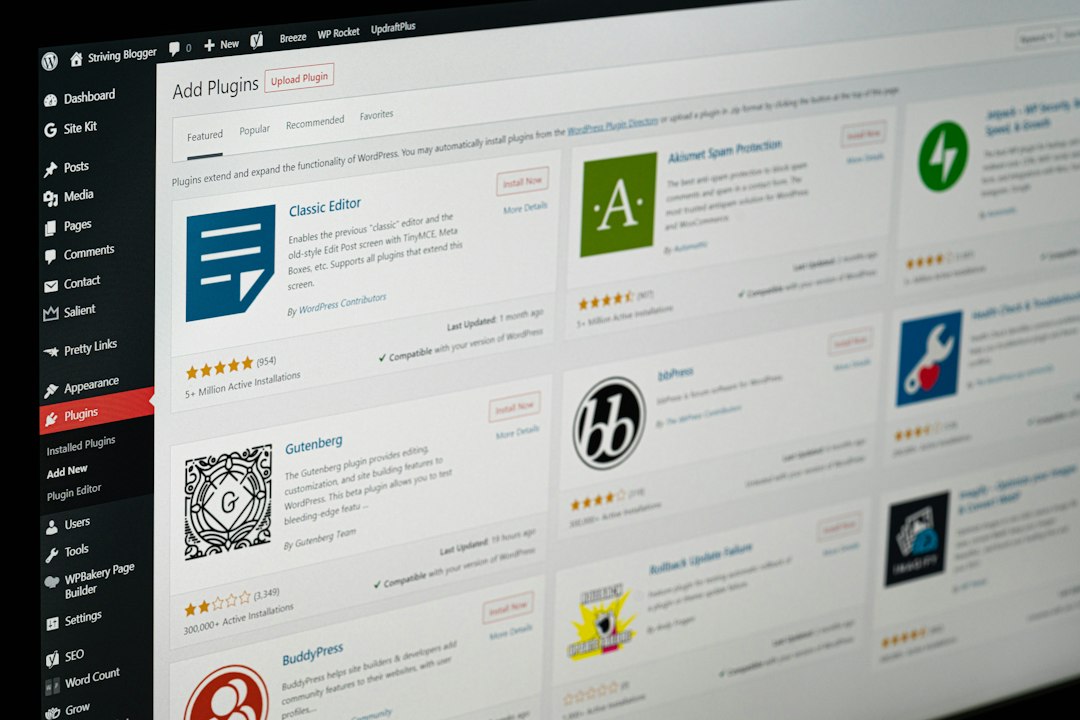
Inside WordPress, the site owner should install and activate 301 Redirects. After activation, the redirect screen lets the user add the old path and choose the destination. The process is short, but it still needs care. One wrong slash can waste 20 minutes of testing.
- Open the WordPress admin area.
- Go to the plugin’s redirect rules section.
- Add the old URL path, such as /guides/old-bangkok-guide/.
- Add the new destination URL.
- Set the redirect type to 301.
- Save the rule.
- Test the old URL in a private browser window.
For larger edits, teams should use the plugin’s import options if available on their setup. The official guide for managing rules is here: how to manage redirect rules.
When a travel agency replaces destination guides
The safest rule is topic match first. A guide about “things to do in Lisbon” should not redirect to a Portugal homepage unless there is no better page. A close match keeps users happy and keeps search intent clear.
The agency should also update internal links. Old blog posts, menus, and sidebar links should point straight to the new guide. A redirect is useful, but it should not become a permanent crutch.
If the agency merged five thin guides into one strong guide, each old URL can point to the new master page. That is fine when the new page covers the old content well.
When a tour operator retires old packages
Retired packages need a stricter plan. If the old tour had bookings, backlinks, and reviews, the redirect must protect that value. A similar active tour is usually best.
If no similar tour exists, the operator can redirect to:
- a destination category page, such as Peru Tours;
- a trip style page, such as Small Group Hiking Tours;
- a waitlist or inquiry page;
- a seasonal landing page if the tour may return.
Honestly, it feels lazy when an expired $2,000 safari points to a generic homepage. The visitor came with buying intent. The redirect should respect that.
Common mistakes to avoid
- Redirect chains: Old URL A points to B, then B points to C. Send A straight to C.
- Homepage dumping: This weakens relevance and often raises bounce rates.
- Using 302 by mistake: Retired or replaced pages need 301 redirects.
- Ignoring canonical tags: Canonicals help with duplicates, but they are not a replacement for removed URLs. This guide on 301 redirects vs canonical tags explains the difference.
FAQ
Should every old travel page get a 301 redirect?
Yes, if it had traffic, links, bookings, or useful content. Low-value pages can sometimes return a 410, but most travel sites should redirect first.
Can a retired tour package redirect to a homepage?
It can, but it usually should not. A similar tour, destination page, or inquiry page is a better fit.
How long should 301 redirects stay active?
They should stay active for at least one year. Many sites keep them longer, especially when old URLs have backlinks.
Does the 301 Redirects plugin work for non-technical users?
Yes. It is built for WordPress admins who need to add rules without editing server files.
Should redirects be tested after setup?
Always. The team should test old URLs, check mobile pages, and watch 404 reports after launch.