Image-to-Code Converter Tools: Anima vs Locofy for Turning Screenshots Into Code
Choose Anima if your priority is cleaner React code from polished designs, and choose Locofy if your team wants stronger control over components, responsiveness, and developer handoff. But if you only have a flat screenshot, keep expectations realistic. Neither tool can reliably turn a random PNG into production-ready code without cleanup. The best results come when the screenshot has been rebuilt or imported into Figma with proper layers, spacing, and component structure.
TLDR: Anima is usually faster for designers who want a quick visual-to-code workflow, while Locofy is better for teams that care about reusable components and front-end structure. For example, a small SaaS team converting five dashboard screens may save 30–50% of initial markup time with either tool, but still spend several hours fixing responsiveness and state logic. If the input is a screenshot instead of a layered Figma file, expect more manual work. Use these tools as code accelerators, not as magic production builders.
What “screenshot to code” really means
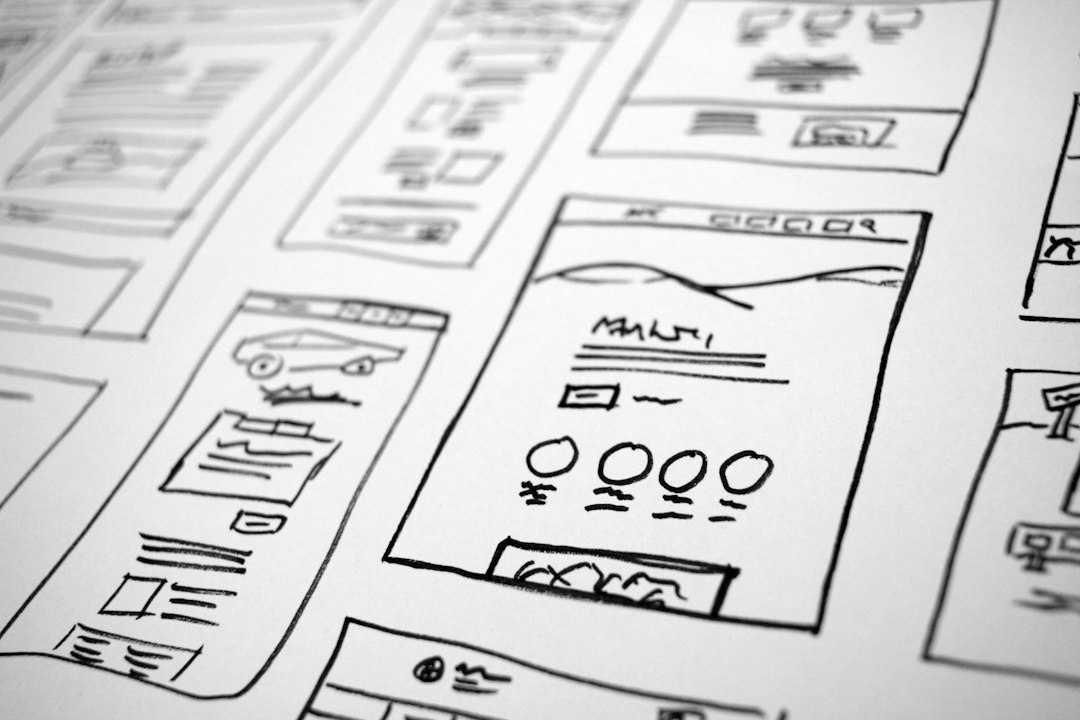
The phrase sounds simple: upload an image, get code. In practice, it is rarely that clean. A screenshot is a flat bitmap. It does not contain real buttons, layout rules, text hierarchy, breakpoints, or reusable components. Tools like Anima and Locofy work best when they can read structured design data from Figma, Adobe XD, or similar design files.
If you start from a screenshot, the usual workflow looks like this:
- Import the screenshot into Figma as a reference.
- Recreate the layout with real text, frames, buttons, inputs, and images.
- Apply auto layout, constraints, and naming rules.
- Run Anima or Locofy to generate front-end code.
- Review, refactor, and connect the UI to real data.
That may sound annoying. It is. Still, it can be faster than writing every screen from scratch, especially for landing pages, dashboards, pricing pages, and internal admin interfaces.
Anima: best for quick visual conversion
Anima is known for converting designs into HTML, React, and other front-end outputs. Its strongest point is speed. Designers can create a layout, apply responsive settings, and export code without needing deep engineering knowledge. It also supports prototypes, interactions, and design systems to a useful degree.
For screenshot-based projects, Anima makes the most sense when the design has already been rebuilt properly. If a designer traces a screenshot into Figma with clean layers, Anima can produce a usable first version of the UI. The output often looks close to the source design, which is helpful for marketing pages and static screens.
Where Anima works well:
- Landing pages with clear sections and simple interactions.
- Marketing websites where visual match matters more than complex logic.
- Prototypes that need to become clickable and presentable fast.
- Designer-led teams that need code without waiting for a developer sprint.
The catch is that Anima’s generated code can still feel too design-driven. Developers may find extra wrappers, inline styling, or layout choices that are fine for a demo but less pleasant in a serious codebase. You may get a page that looks right, yet still needs cleanup before it fits your team’s conventions.
Locofy: better for structured front-end handoff
Locofy focuses heavily on turning designs into front-end code with developer-friendly settings. It supports frameworks such as React, Next.js, Gatsby, and React Native, depending on the project setup. It also puts more attention on tagging layers, mapping components, and handling responsiveness.
This makes Locofy especially useful when a team wants more control before export. You can tag elements as buttons, inputs, images, lists, or containers. You can define reusable components and prepare a cleaner structure before generating code. That extra setup takes time, but it often pays off when the project has more than a few screens.
Where Locofy works well:
- Dashboard interfaces with repeated cards, tables, and forms.
- Web apps that need reusable UI patterns.
- React or Next.js projects where developers want a better starting point.
- Teams with designers and engineers working on the same product flow.
Honestly, it feels like Locofy asks for more upfront work than people expect. Tagging elements and checking responsiveness can add 20–40 minutes per complex screen. But that time is not wasted if it prevents a messy export that developers refuse to use.
Code quality: which one wins?
Neither tool consistently produces code that should be shipped without review. That is the blunt truth. They can create a strong first draft, but they do not understand your architecture, state management, API rules, accessibility standards, or test coverage.
Anima often wins on visual fidelity and speed. It can be the better choice when the goal is to get a page looking right quickly. Locofy tends to win when structure matters more, especially with component tagging and framework-specific output.
For a simple homepage, Anima may get you to an acceptable first draft faster. For a product dashboard with repeated widgets, filters, tabs, and cards, Locofy usually gives the development team more to work with.
Responsiveness and mobile behavior
Responsive behavior is where screenshot-to-code workflows often break. A screenshot shows one screen size. Real users bring phones, tablets, desktop monitors, browser zoom, and odd viewports. A tool cannot infer every breakpoint from one image.
Anima provides responsive tools, but the final result depends heavily on how the Figma file is built. If the design uses fixed positioning everywhere, the exported code may collapse badly on mobile. Locofy gives more control over layout rules and breakpoints, but you must spend time configuring them.
A useful rule is simple: if the design does not behave well in Figma, it will not behave well in generated code. Fix layout logic before export. Do not expect the tool to rescue a weak file.
Pricing and team fit
Pricing changes, so check each vendor’s current plans before buying. In general, both tools offer tiers for individuals and teams. The real cost is not only the subscription. It is the cleanup time after export.
For a solo designer or founder building a quick landing page, Anima can feel more direct. You create the page, export it, and make edits. For a product team with engineers, Locofy may be easier to justify because it supports a more disciplined handoff process.
Ask these questions before choosing:
- Do we need a quick visual clone or maintainable front-end code?
- Are we using React, Next.js, plain HTML, or React Native?
- Will developers actually accept generated code into the repo?
- How many screens are repeated, and can they become components?
- Do we have time to rebuild the screenshot into proper Figma layers?
Best use case example
Imagine a startup has an old admin panel screenshot and wants to rebuild it in React. The screen includes a sidebar, top bar, table, filters, and status badges. With Anima, the team may recreate the screen in Figma and export a decent-looking first version in a few hours. With Locofy, the same team may spend longer tagging fields, table areas, buttons, and reusable cards, but the exported React structure may be easier to extend.
In that case, Locofy is likely the safer pick. The interface is not just a static picture. It has repeated patterns and future states. For a one-page marketing mockup, Anima would probably be the faster option.
Final recommendation
Use Anima when speed and visual accuracy matter most. It is a strong option for landing pages, prototypes, and designer-led builds. It helps turn polished design files into working front-end drafts with less friction.
Use Locofy when structure, components, and developer handoff matter more. It is better suited for product interfaces, React projects, and teams that need generated code to fit into a real development process.
For raw screenshots, neither tool is a perfect answer. Rebuild the image into a clean Figma file first. Then export. That extra step can feel tedious, but it separates a throwaway code dump from a usable starting point. The best teams treat Anima and Locofy as assistants. They speed up the first 60–70% of interface coding, while humans still handle quality, logic, accessibility, and long-term maintenance.