
What Are the Best 3D Design Tools for Bespoke Training Shoes?
Bespoke training shoes sit at the intersection of biomechanics, fashion, product engineering, and digital fabrication. Unlike standard sneakers, they must respond to a specific wearer’s foot shape, gait, sport, cushioning preferences, and aesthetic taste. That makes 3D design tools essential: they help designers move from a scanned foot to a wearable prototype while managing fit, structure, materials, and visual style.
TLDR: The best 3D design tools for bespoke training shoes depend on whether you are focused on precision fit, creative form, manufacturing, or visual presentation. Rhino with Grasshopper, Blender, Fusion 360, SolidWorks, and specialist footwear CAD platforms are among the strongest options. For the best results, many footwear designers combine several tools rather than relying on just one.
Why 3D Design Matters for Bespoke Trainers
Training shoes are deceptively complex. A designer is not simply creating an attractive upper and sole; they are designing a product that must absorb impact, flex correctly, support the arch, secure the heel, ventilate the foot, and survive repeated stress. When the shoe is bespoke, the complexity increases because the design must suit one person rather than an average size chart.
Modern 3D workflows make this process much more accurate. A designer can begin with a 3D foot scan, build or modify a digital last, model the midsole and outsole around pressure points, and simulate how the design will look before producing physical samples. This saves time, reduces waste, and gives clients a more personalized experience.
Image not found in postmeta1. Rhino and Grasshopper: Best for Parametric Bespoke Design
Rhino is one of the most respected 3D modeling tools in industrial design, and it is especially useful for footwear designers who need clean curves, accurate surfaces, and flexible modeling control. Its strength lies in NURBS modeling, which allows designers to create smooth, precise shapes for shoe lasts, midsoles, overlays, and sculptural components.
The real power emerges when Rhino is paired with Grasshopper, its visual programming environment. Grasshopper allows designers to create parametric systems, meaning that design features can be adjusted through sliders and rules rather than rebuilt manually. For bespoke training shoes, this is extremely valuable. A designer can create a midsole lattice that changes density according to arch height, impact zones, or foot pressure data.
Best for:
- Custom midsoles and outsoles
- Parametric patterns and lattice structures
- Personalized designs based on foot scan data
- Advanced surface modeling
Possible drawback: Rhino is powerful but not always beginner friendly. Grasshopper also requires a logical mindset and some patience. However, for studios serious about bespoke footwear, it is one of the most capable combinations available.
2. Blender: Best for Creative Concepts and Visual Experimentation
Blender has become a favorite among independent designers because it is free, flexible, and surprisingly powerful. While it was originally associated more with animation and visual effects, it is now widely used in product visualization, concept design, and digital sculpting.
For bespoke training shoes, Blender is excellent for exploring bold visual ideas. Designers can quickly sculpt organic uppers, generate futuristic sole forms, apply materials, and create high-quality renders. Its modifier system also allows non-destructive experimentation, which means a designer can test different textures, perforations, knit-like surfaces, or outsole patterns without permanently changing the base model.
Blender is particularly useful during the early creative phase. If a client wants a visually distinctive training shoe with a strong personal identity, Blender helps turn abstract ideas into impressive visuals.
Best for:
- Concept art and early design exploration
- Organic shoe shapes and sculptural forms
- Realistic rendering and animation
- Affordable design workflows
Possible drawback: Blender is not primarily an engineering CAD tool. It can produce beautiful models, but designers may need to transfer the design into a more technical platform for manufacturing accuracy.
3. Fusion 360: Best for Product Development and Prototyping
Autodesk Fusion 360 is a strong all-rounder for designers who want a balance between creativity, engineering, and prototyping. It combines solid modeling, surface modeling, simulation, and manufacturing tools in one platform. For bespoke trainers, Fusion 360 is particularly useful when designing structural components such as sole plates, heel counters, custom insoles, and 3D printed midsoles.
One of Fusion 360’s advantages is its connection to digital fabrication. If you plan to move from digital design to CNC machining, 3D printing, or mold production, Fusion 360 offers practical tools for preparing files and checking manufacturability. It also supports collaborative cloud-based workflows, which can be useful for teams working with clients, podiatrists, 3D printing providers, or footwear technicians.

Best for:
- Functional product development
- Custom insoles and support structures
- 3D printing preparation
- Small design teams and prototyping workshops
Possible drawback: Fusion 360 is capable, but it may feel less fluid than Blender for freeform concept styling and less specialized than dedicated footwear CAD software for pattern and last-related workflows.
4. SolidWorks: Best for Engineering Precision
SolidWorks is a high-end engineering CAD platform used across product design, mechanical design, and manufacturing. In bespoke training shoe development, it is most useful for parts that require dimensional control and mechanical reliability. For example, if a shoe includes a carbon plate, stability frame, modular outsole insert, or custom orthopedic support, SolidWorks can help ensure the design is accurate and production ready.
SolidWorks is especially valuable when performance is the priority. Training shoes for running, court sports, gym work, or rehabilitation may need specific flex grooves, stiffness zones, heel geometry, or impact-resistant components. SolidWorks gives designers the ability to define these precisely and test relationships between parts.
Best for:
- High-precision components
- Technical sole structures
- Performance-driven footwear systems
- Manufacturing documentation
Possible drawback: SolidWorks is not the fastest tool for highly artistic surfaces or experimental styling. It also has a steeper cost and learning curve than some alternatives.
5. Shoemaster and Specialist Footwear CAD: Best for Professional Footwear Workflows
General 3D modeling tools are useful, but dedicated footwear CAD platforms offer features built specifically for shoe design. Shoemaster, Romans CAD, and similar specialist systems are designed around lasts, uppers, patterns, grading, and manufacturing processes. These tools are especially important when a bespoke shoe must move beyond a concept and into real production.
A major advantage of specialist footwear CAD is that it understands how shoes are actually made. Designers can work with a 3D last, create upper patterns, flatten surfaces into 2D pattern pieces, manage stitching lines, and prepare production data. For bespoke training shoes, this is crucial because a perfect-looking 3D model is not enough; the upper must be cut, assembled, lasted, and finished correctly.
Best for:
- Last-based shoe development
- Upper pattern engineering
- Professional footwear production
- Made-to-measure and small-batch manufacturing
Possible drawback: Specialist footwear CAD can be expensive and may be less accessible for beginners, freelancers, or experimental artists. It also may not offer the same level of visual freedom as tools like Blender or Rhino.
6. ZBrush: Best for Sculptural Details
ZBrush is a digital sculpting tool known for its ability to create highly detailed organic forms. While it is not a conventional footwear CAD platform, it can be incredibly useful for designers creating expressive textures, embossed branding, anatomical cushioning shapes, or sculptural sole details.
For bespoke training shoes, ZBrush works well when the design has a strong artistic or ergonomic component. A designer might sculpt a midsole surface inspired by muscle fibers, create a customized grip pattern, or shape padding zones that follow the wearer’s anatomy. It is also useful for creating high-resolution presentation models.
Best for:
- Organic sculpting
- Textured outsoles and midsoles
- Artistic details
- Premium custom aesthetics
Possible drawback: ZBrush models often need retopology or conversion before they are suitable for manufacturing. It is best used alongside CAD tools rather than as a complete footwear production solution.
7. Adobe Substance 3D: Best for Materials and Realistic Visualization
The look of a bespoke trainer depends heavily on materials: mesh, knit, leather, suede, TPU, foam, rubber, reflective panels, and translucent elements all behave differently under light. Adobe Substance 3D tools are excellent for creating, applying, and previewing realistic materials.
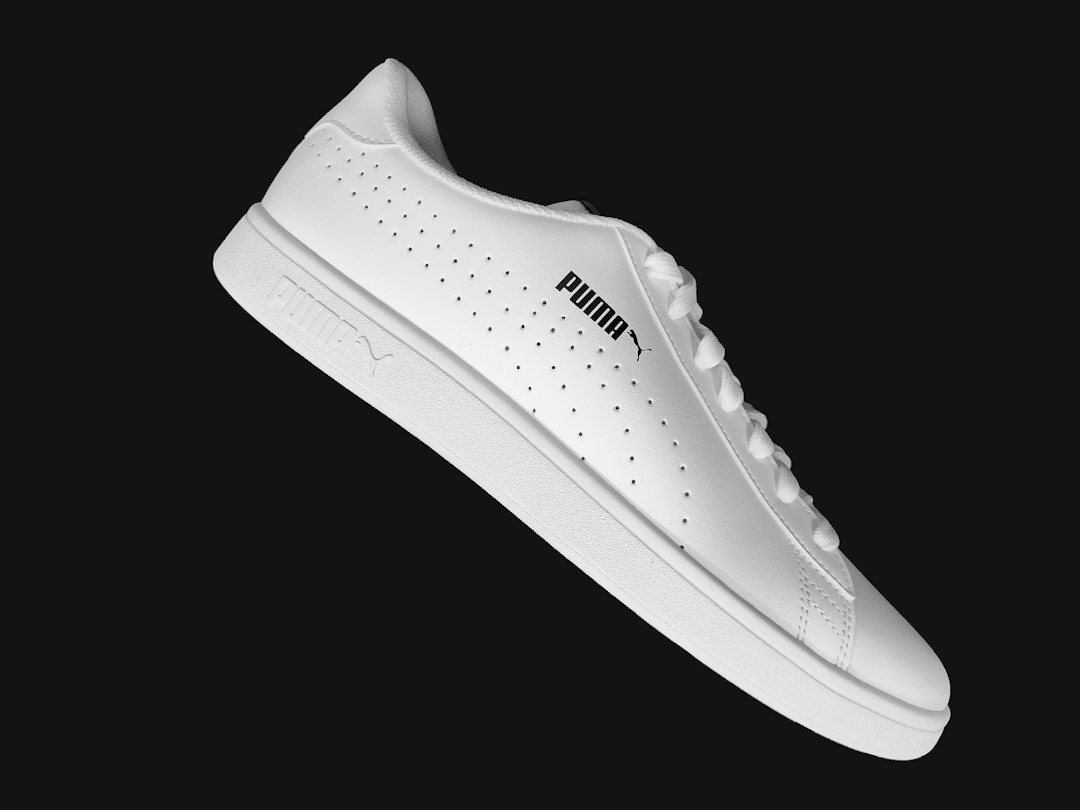
Substance is particularly useful when presenting options to clients. Instead of producing multiple physical samples, designers can show realistic variations in color, texture, and finish. A client can compare a matte black heel counter with a glossy one, or see how a breathable mesh upper might look in different colorways.
Best for:
- Material creation and texturing
- Photorealistic product visuals
- Client presentations
- Colorway exploration
Possible drawback: Substance is not used to engineer the shoe itself. It is most valuable as part of a visualization and presentation pipeline.
How to Choose the Right Tool
The best software depends on the role you want it to play. A footwear designer focused on orthotic personalization will need different tools from a concept artist designing futuristic gym shoes. In many professional workflows, one tool handles the last and technical construction, another handles sculptural design, and another handles rendering.
Here is a simple way to think about it:
- For parametric customization: Choose Rhino with Grasshopper.
- For creative visual development: Choose Blender.
- For prototyping and fabrication: Choose Fusion 360.
- For engineering precision: Choose SolidWorks.
- For production footwear patterns: Choose specialist footwear CAD.
- For sculptural details: Choose ZBrush.
- For materials and rendering: Choose Adobe Substance 3D.
The Ideal Workflow for Bespoke Training Shoes
A strong bespoke footwear workflow usually begins with data. The designer captures a 3D scan of the foot, evaluates pressure or gait information if available, and creates a digital last. From there, the shoe can be built around the wearer’s anatomy and performance needs.
A practical workflow might look like this:
- Scan the foot using a 3D scanner or specialist fitting system.
- Create or adjust the last in footwear CAD or Rhino.
- Design the sole structure in Rhino, Grasshopper, Fusion 360, or SolidWorks.
- Develop the upper using footwear CAD, Blender, or Rhino.
- Add textures and materials using Substance 3D or Blender.
- Prototype the shoe through 3D printing, sample cutting, or hybrid fabrication.
- Test fit and performance, then refine the model.
This kind of workflow allows designers to combine personal fit with performance engineering and individual style. It also makes bespoke footwear more scalable, because digital templates can be adapted for new clients rather than rebuilt from scratch.
Final Thoughts
There is no single “best” 3D design tool for bespoke training shoes. The best choice depends on whether you need artistic freedom, technical precision, production-ready patterns, or realistic visualization. For many designers, the strongest setup is a combination: Rhino and Grasshopper for customization, Fusion 360 or SolidWorks for engineering, specialist footwear CAD for production, and Blender or Substance 3D for presentation.
As bespoke trainers become more popular, the most successful designers will be those who understand both the human foot and the digital tools that shape modern products. With the right software workflow, a custom training shoe can be more than a stylish object; it can become a precisely fitted performance product made for one person’s movement, comfort, and identity.